
Desk-Parent Health Reset: A 10-Minute Routine for Busy Workdays
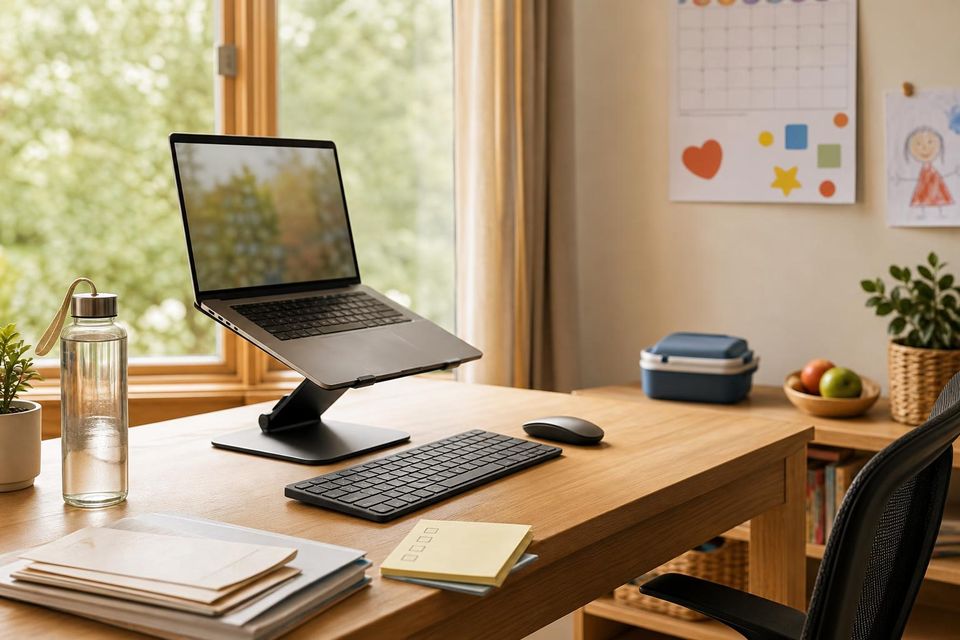
If you feel stiff, screen-tired, and mentally fried by midafternoon, do not wait for a perfect workout window. A simple desk-parent health reset works better: fix your posture for one minute, give your eyes a real break, move your neck and hips, drink water, and clear the next few tasks out of your head before you dive back in.
That kind of reset matters more than most of us want to admit. A 2025 systematic review on working from home found more sedentary time during work hours and fewer daily steps compared with onsite work. For parents, that gap gets worse when breaks disappear into school messages, snack runs, pickups, and “I just need to finish one more thing.”
A desk reset works better when the setup supports your body instead of fighting it.
Why desk parents feel wrecked by midafternoon
Most desk fatigue is not one dramatic problem. It is a pileup of small things:
- your laptop screen sits too low, so your neck keeps creeping forward
- you stare without blinking until your eyes feel dry and gritty
- you stay seated through back-to-back work and family-admin tasks
- you forget to drink anything until you notice a headache
- your brain never gets a clean stopping point before the next interruption
That is why a desk-parent reset should do more than add one stretch. It should help you catch the four most common friction points fast:
- posture
- movement
- eye strain
- mental overload
The 10-minute desk-parent reset
You do not need a full routine every time. But when you have 10 minutes, this is the version worth repeating.
1) Spend 60 seconds fixing your posture first
Before you stretch anything, stop working and reset the setup.
Use these cues:
- sit back so your back is actually supported
- let your shoulders drop instead of creeping upward
- keep your elbows close to your sides
- bring the screen up closer to eye level if you can
- keep your wrists neutral instead of cocked upward on a laptop edge
OSHA’s computer workstation guidance focuses on arranging the workstation so your body can stay in more neutral positions. You do not need a perfect office to get some benefit. Usually the fastest win is fixing the screen height or getting your keyboard position less cramped.
2) Give your eyes a real break
If your eyes feel blurry, dry, or oddly tired, use the 20-20-20 rule from the American Optometric Association: every 20 minutes, look 20 feet away for 20 seconds.
For a proper reset, also:
- blink on purpose a few times
- soften your jaw and forehead
- look out a window if you can
- lower glare instead of just turning brightness up forever
The AOA also notes that screen viewing is often more comfortable when the display sits slightly below eye level and roughly 20 to 28 inches from your eyes. That is a useful reality check if you work from a laptop all day and keep leaning closer without noticing.
3) Move the spots that usually lock up first
You do not need 15 stretches. Pick a few moves you will actually repeat.
Try this sequence:
- 5 slow shoulder rolls forward and backward
- 3 gentle chin tucks
- 20 seconds of a chest opener or hands-behind-back stretch
- 20 seconds per side of a neck side stretch
- 10 calf raises or a short walk in place
- 20 seconds per side of a standing hip-flexor stretch if your hips feel stuck
The CDC workplace physical activity break guide supports short movement breaks like shoulder rolls, side steps, calf raises, arm reaches, and seated or standing movement snacks. That is the right level here. You are trying to interrupt the sit-and-stare loop, not train for anything.
4) Drink water and force a tiny walk
The water part matters partly because it helps and partly because it creates movement.
Stand up. Refill your bottle or glass. Walk to another room if you can. If not, take a lap around the desk, open a door, or walk while the kettle runs. The point is to make the break physical enough that your body registers it.
5) Empty your brain before you sit back down
A break works better when you do not return to the desk carrying five half-finished thoughts.
Before you resume work, write down:
- the next one thing you need to do
- one family-admin task you cannot forget
- anything that can wait until later
If you want help turning brain clutter into a quick list, Free AI Helpers for Family Admin can help you draft that list fast without turning the whole reset into another project.
Build your 3-, 5-, or 10-minute reset
Use this quick tool to build a version that fits the time and tension you have right now.
Desk Reset Builder
Pick your time and the spots that feel worst. You will get one simple reset plan.
Skip any move that causes pain, numbness, or dizziness.
No-JS fallback: if you only have 3 minutes, do one posture reset, one eye break, one neck or shoulder move, and one written next step. If you have 5 minutes, add water and a quick walk. If you have 10, add one hip or chest-opening stretch before you sit back down.
Make your workstation less punishing
A reset helps more when the desk is not undoing it all day.
Start with the easiest wins:
- raise the monitor or laptop so you are not staring down all day
- use an external keyboard and mouse if laptop work lasts more than quick bursts
- keep your feet planted or supported instead of tucking them under the chair
- bring your elbows closer to your body instead of reaching forward all day
- reduce glare and angle the screen so your eyes stop fighting reflections
NIOSH ergonomics guidance and OSHA’s workstation guidance both point in the same direction: make the setup easier on your body before you try to out-stretch a bad position.
If you only fix one thing this week, fix the screen height. It tends to help the neck, shoulders, and eye strain all at once.
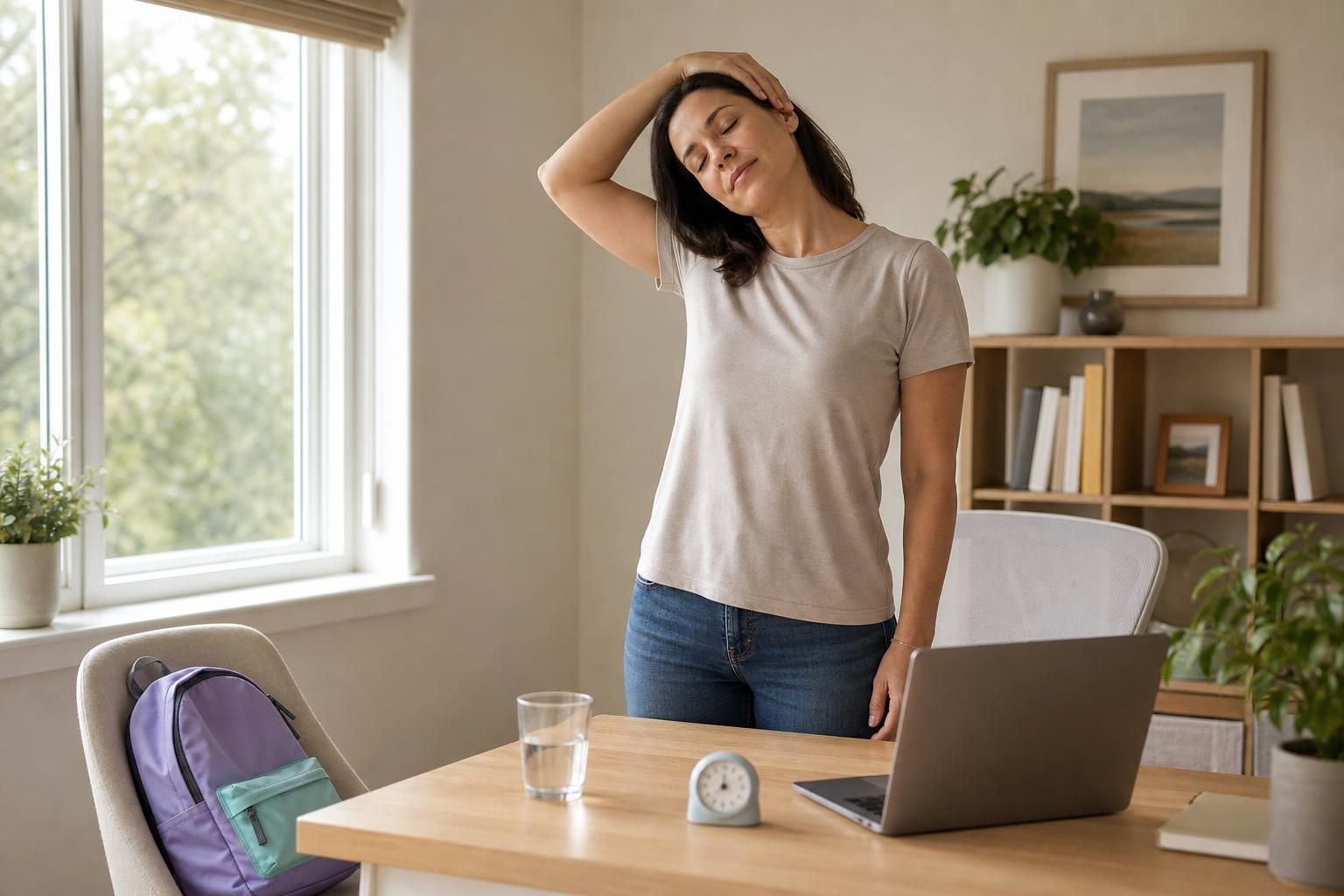
A short stretch break is more realistic than waiting for a perfect workout window.
The habits that actually stick for parents
The best desk-health habit is the one attached to something that already happens.
Try one of these triggers:
- after school drop-off and first login
- before lunch
- after your longest meeting block
- before pickup or the evening family shift
- right after you answer the last big school or admin message of the day
If you already do a weekly home reset, add a 2-minute desk check to your Sunday Family Reset. That is a good time to clear cups, reset the chair, refill what you need, and move the laptop setup back into a position your neck can tolerate.
Common mistakes that keep the strain coming back
A lot of desk discomfort sticks around because the same patterns keep repeating.
Watch for these:
- stretching without changing the setup that caused the problem
- using only your lunch break as your one chance to move
- keeping the laptop low and the shoulders high
- waiting until your eyes or head hurt before looking away
- treating hydration like an optional extra
- returning from a break with no clear next step, so the mental stress comes right back
The goal is not to become perfect at posture. The goal is to interrupt the strain before it snowballs.
When a reset is not enough
A gentle desk reset can help with ordinary stiffness, screen fatigue, and that foggy feeling that builds up after too much sitting. It is not a substitute for real medical or vision care.
If you keep getting worsening headaches, ongoing blurred vision, numbness, tingling, or pain that is getting sharper instead of easing up, stop pushing through it. That is a good time to check in with a clinician, physical therapist, or eye-care professional instead of assuming a few stretches will fix it.
FAQ
How often should I take a movement break when I work from home?
More often than you think, and shorter is fine. A few minutes of movement every hour is more realistic and more repeatable than waiting for one perfect long break.
What is the 20-20-20 rule?
It is a simple eye-strain rule from the American Optometric Association: every 20 minutes, look at something 20 feet away for 20 seconds.
What is the best desk setup if I only have a laptop?
The biggest improvement is usually raising the laptop and using an external keyboard and mouse when possible. If that is not realistic yet, prop the screen up when you can and change positions more often.
What are the best desk stretches for neck and shoulder tension?
A simple mix works best: shoulder rolls, chin tucks, a chest opener, and a light side-neck stretch. Keep the movements gentle and stop if anything feels sharp or wrong.
What if I only have 3 minutes between meetings and kid logistics?
Do the smallest useful version: posture reset, eye break, one neck or shoulder move, and one written next step. A tiny reset you repeat beats a longer reset you never do.
Start with the smallest version today
Pick one reset trigger. Build a 3-minute version you can actually repeat. Then let that become the habit that makes the longer version easier.
That is the real win here: less stiffness, less screen fog, and one less part of the workday that has to run on pure willpower.